
All Your PDF Tools in One Smart Workspace
Merge, split, compress, convert and manage your PDF documents with simple and powerful online tools.
Popular PDF Tools
Quickly handle your everyday document tasks with our most popular browser-powered utilities.
Merge PDF
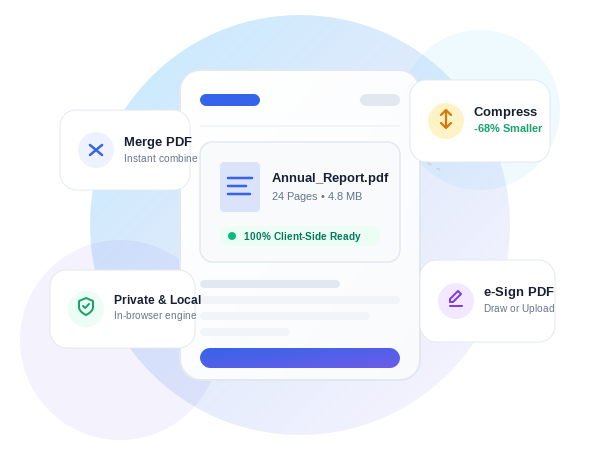
Combine multiple PDF files into one ordered, professional document in seconds.
OrganizeCompress PDF
Reduce PDF file size directly in your browser while preserving layout quality.
OptimizePDF to Word
Extract text and layout structures into an editable Word-compatible format.
ConvertJPG to PDF
Transform JPG, PNG, and WebP images into a clean, unified PDF document.
ImageSplit PDF
Extract specific page ranges or divide documents into discrete files easily.
OrganizePDF to Excel
Extract tabular data and numerical reports into clean CSV spreadsheets.
ConvertSign PDF
Draw your signature or upload an image to stamp electronically on any page.
EditRotate PDF
Permanently rotate orientation for upside-down or sideways PDF pages.
OrganizeAll NexaPDF Tools
Explore our complete catalog of 24 client-side PDF utilities designed for speed, simplicity, and document control.
Merge PDF
Combine multiple PDF files into one organized document.
OrganizeSplit PDF
Extract selected page ranges into standalone PDF documents.
OrganizeCompress PDF
Optimize PDF object streams and structure for lighter files.
OptimizePDF to Word
Extract structured document text into editable Word format.
ConvertPDF to PowerPoint
Convert presentation slides into structured deck pages.
ConvertPDF to Excel
Extract tabular data and numerical reports into CSV sheets.
ConvertPDF to JPG
Convert PDF pages into high-res images packaged in a ZIP.
ImageWord to PDF
Convert DOCX files directly in browser to clean PDF documents.
ConvertPowerPoint to PDF
Convert slide deck presentations into universal PDF format.
ConvertExcel to PDF
Render spreadsheet and CSV tables into printable PDF sheets.
ConvertJPG to PDF
Combine image collections into a single organized PDF.
ImageHTML to PDF
Render web markup, code or formatted snippets to PDF.
ConvertEdit PDF
Add text annotations, overlays, and marks to PDF pages.
EditSign PDF
Draw or upload your personal signature to stamp on documents.
EditWatermark PDF
Stamp custom text watermarks with custom opacity and angles.
EditRotate PDF
Permanently rotate orientation of misaligned pages by 90-270°.
OrganizeUnlock PDF
Clear restriction flags on authorized, password-supplied files.
SecurityProtect PDF
Apply password protection parameters to sensitive documents.
SecurityOrganize PDF
Sort, rotate, delete, or rearrange pages with visual layout control.
OrganizePDF to PDF/A
Format documents for long-term ISO archival standard compliance.
OptimizeExtract PDF
Select specific pages and save them into a new document.
OrganizeDelete Pages
Remove unwanted, blank, or duplicate pages from your file.
OrganizeAdd Page Numbers
Insert custom page counters with flexible position and styling.
EditOCR PDF
Extract text from scanned PDF documents via in-browser OCR.
OCRHow It Works
Manage your PDF files in three straightforward steps without complicated software installs.
Upload Your Document
Drag and drop your PDF or image files directly into the workspace, or browse files from your computer or mobile device.
Choose Your PDF Tool
Configure your preferred options—such as page ranges, compression level, rotation angles, watermarks, or signatures.
Process and Download
Our fast client-side engine executes the operation immediately in your browser. Download your finished files with a single click.
Why Choose NexaPDF?
Designed from the ground up for modern document workflows that demand speed, simplicity, and user control.
Simple and Easy to Use
Clean, uncluttered interface designed to let you accomplish document tasks with minimal steps and zero learning curve.
Fast Browser Processing
Processes PDF operations directly on your local device hardware via modern WebAssembly and JavaScript engines, avoiding unnecessary queue delays.
Privacy-Conscious Design
Core utilities manipulate files within your browser session memory rather than transmitting your files to remote third-party databases.
No Software Installation
Works straight from your favorite modern web browser on Windows, macOS, Linux, ChromeOS, iOS, and Android without plugins.
Mobile-Friendly Experience
Responsive layouts adapt fluidly to smartphones and tablets, letting you split, merge, or sign PDF documents on the go.
Multiple PDF Solutions
From basic merging and splitting to watermark stamping, OCR extraction, page numbering, and format transformations under one roof.
Streamline Document Workflows with Modern Online PDF Tools
The Portable Document Format (PDF) has served as the universal global standard for digital document exchange for more than three decades. Whether sharing official contracts, submitting academic research, distributing financial disclosures, or archiving receipts, PDFs preserve strict formatting fidelity across operating systems, browsers, and mobile devices. However, because PDF documents are intentionally designed to prevent accidental modifications, managing, editing, or combining them often creates friction for individuals and businesses alike.
Overcoming the Traditional PDF Software Barrier
Historically, performing basic document adjustments—such as merging separate scanned pages, removing unwanted pages, or reducing bloated attachments—required expensive desktop software suites or heavy subscription plans. These traditional applications consume significant hard drive space, demand continual updates, and often introduce complex interfaces that overwhelm casual users.
NexaPDF rethinks this workflow by bringing specialized utility tools directly into your browser window. By utilizing modern web standards such as WebAssembly and robust JavaScript document processing libraries, tools like our Merge PDF, Split PDF, and Compress PDF operate smoothly on your computer or phone. This browser-first approach reduces unnecessary upload delays, accelerates processing turnaround times, and ensures you retain direct control over your digital documents.
Flexible Solutions for Everyday Document Management
Different tasks require tailored document utilities. When compiling invoices or portfolio presentations, our Organize PDF and Add Page Numbers tools let you sequence pages and insert standard page counters with precision. When preparing image portfolios or documentation scans, JPG to PDF and PDF to JPG bridge the gap between image files and multi-page documents. Furthermore, our Sign PDF tool enables you to draw or stamp electronic signatures on agreements without printing a single sheet of paper.
Explore our curated guides in the NexaPDF Tutorial Center to learn best practices for document optimization, file organization, and cross-format data extraction.
Frequently Asked Questions
Find quick answers to common questions about NexaPDF features, privacy, and browser operations.